KolorKlinic
Finishing tools
Made by colorists, for colorists.
Digital in.Film out.· KolorKlinic TextureGPU-native OpenFX plugins for DaVinci Resolve that run right inside Resolve's own GPU memory. Give digital the texture of film, retouch skin without the plastic look, build film colour looks, clean noise without losing texture, and stay in real time.
Spatial equalizer, halation, diffusion and film grain for an organic, filmic image.
Film colour look development with the full Texture engine built in.
Frequency-separation retouch with an automatic skin mask and no flicker.
Motion-compensated temporal and wavelet NR with split view and grain control.
Prepare + Restore nodes around Magic Mask: bigger subject in, steadier, cleaner mask out.
KolorKlinic Texture
The organic texture of film for DaVinci Resolve: a spatial equalizer, halation, diffusion and film grain in one OFX. It breaks the clinical look of digital sensors and gives back presence and relief. Download it free with a 3-day full licence sent to your email; after that the trial adds a small watermark.


Grain colour
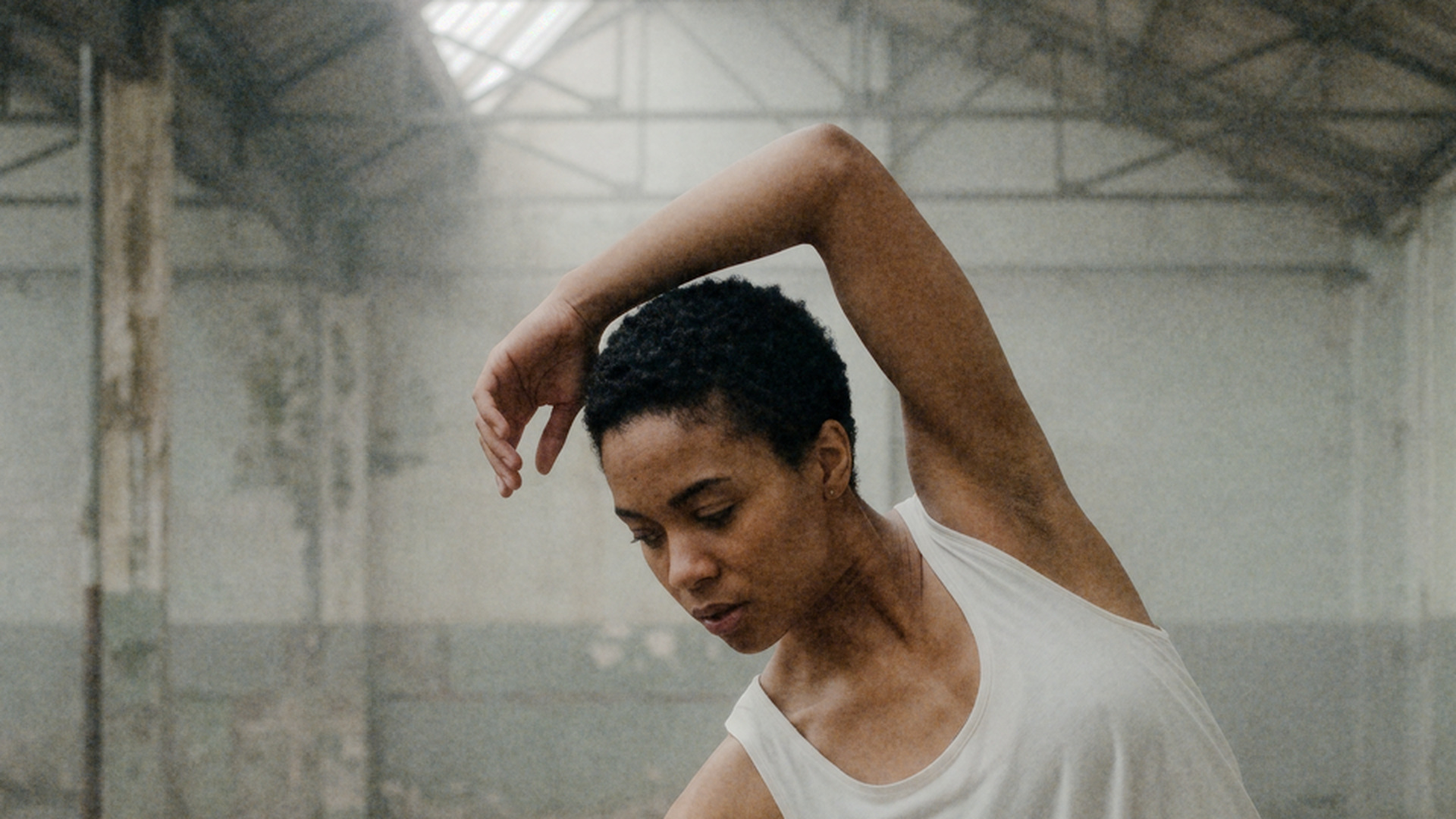
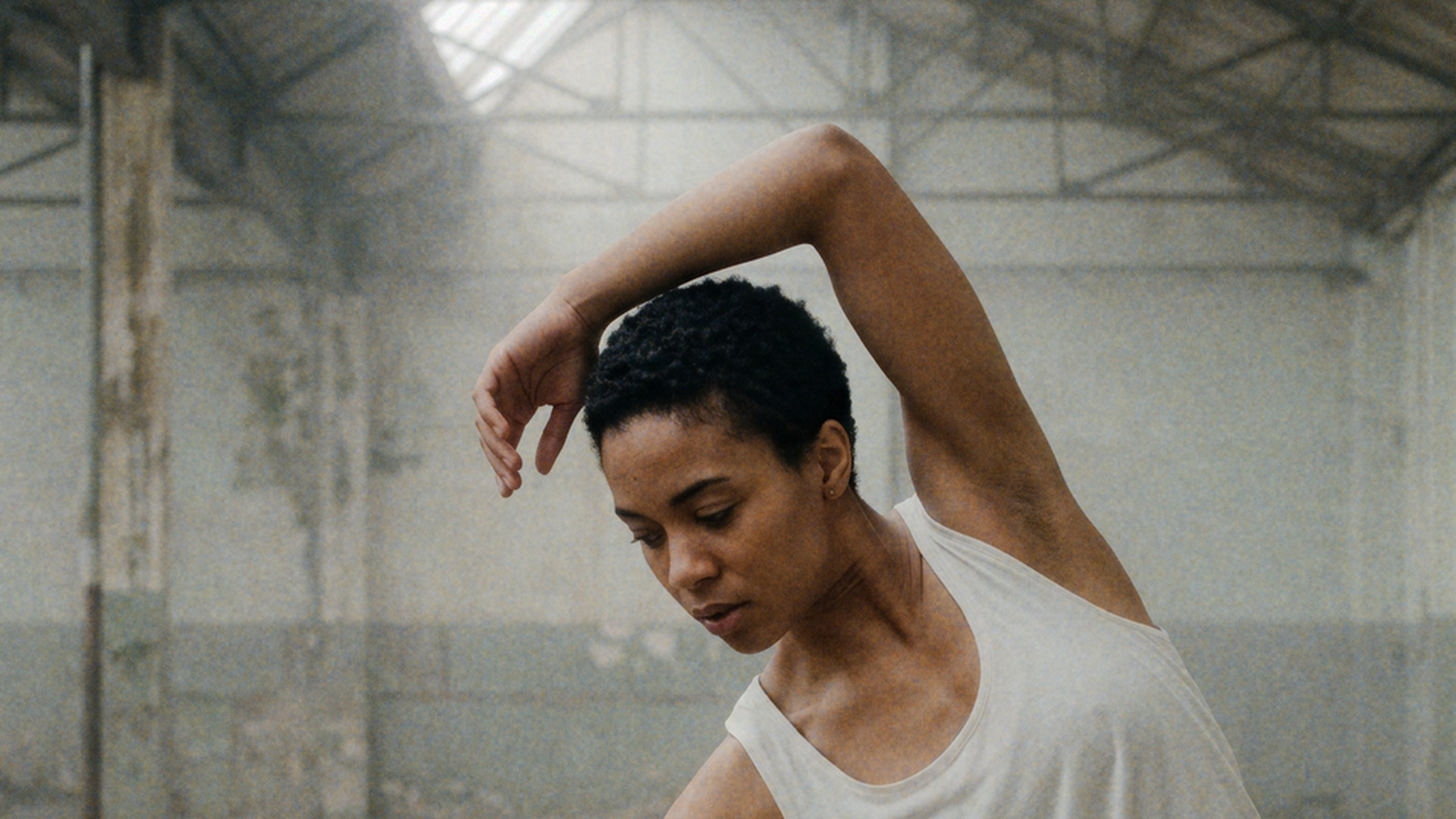
2x zoom, same grain amount and size. Film dye layers is the real deal: like a colour negative, the grain is built from three cyan, magenta and yellow dye clouds, each driven by its own channel's exposure. It melts into skin and the grey walls instead of sitting on top like digital noise. Drag the line to compare.
Spatial equalizer
Six frequency bands, from grain to volume: Fine, Detail, Texture, Structure, Modelling and Volume. Soften the digital edge, bring back the modelling of a face, and add presence without sharpening halos.
Halation
The red-orange glow film produces around bright sources. Threshold, radius, amount, red, orange or custom tint, and saturation.
Diffusion
Pro-Mist and Glimmerglass style: highlights spread into the image, bloom around the brightest points and an optional misty black lift.
Film grain
Organic, animated grain with 35mm, 16mm and Super 8 stocks: amount, size, softness, separate response in shadows, midtones and highlights, and mono, colour or 3D film dye grain: cyan, magenta and yellow dye clouds that melt into the image instead of sitting on top.
My looks
Save your own looks in 5 slots on your machine, or export a look code to copy-paste and share with other colorists.
Film looks
Organic, 35mm Kodak, 16mm, Pro-Mist 1/4 and Digital clean presets load every module at once. Tweak anything afterwards.
Skin aware
Use the automatic skin mask to equalise skin only, or everything but skin. Inspect the mask, the halation layer and the detail change.
Film compression
Film-style highlight rolloff runs first in the chain: highlights stop clipping and roll off into dense whites. Every film look sets it for you.
GPU native · ACES ready
One plugin, three modules you can switch on and off, running inside Resolve's GPU memory (Metal, CUDA or OpenCL). Fully offline. Works in Rec.709, ACEScct, ACEScc, ACEScg, ACES2065-1 and DaVinci Wide Gamut projects.
Downloads
Texture manual · PDFKolorKlinic Reactor
Film colour look development for DaVinci Resolve: tone, hue, casts and bleach bypass on top of the full Texture engine. Download it free with a 3-day full licence sent to your email; after that the trial adds a small watermark.
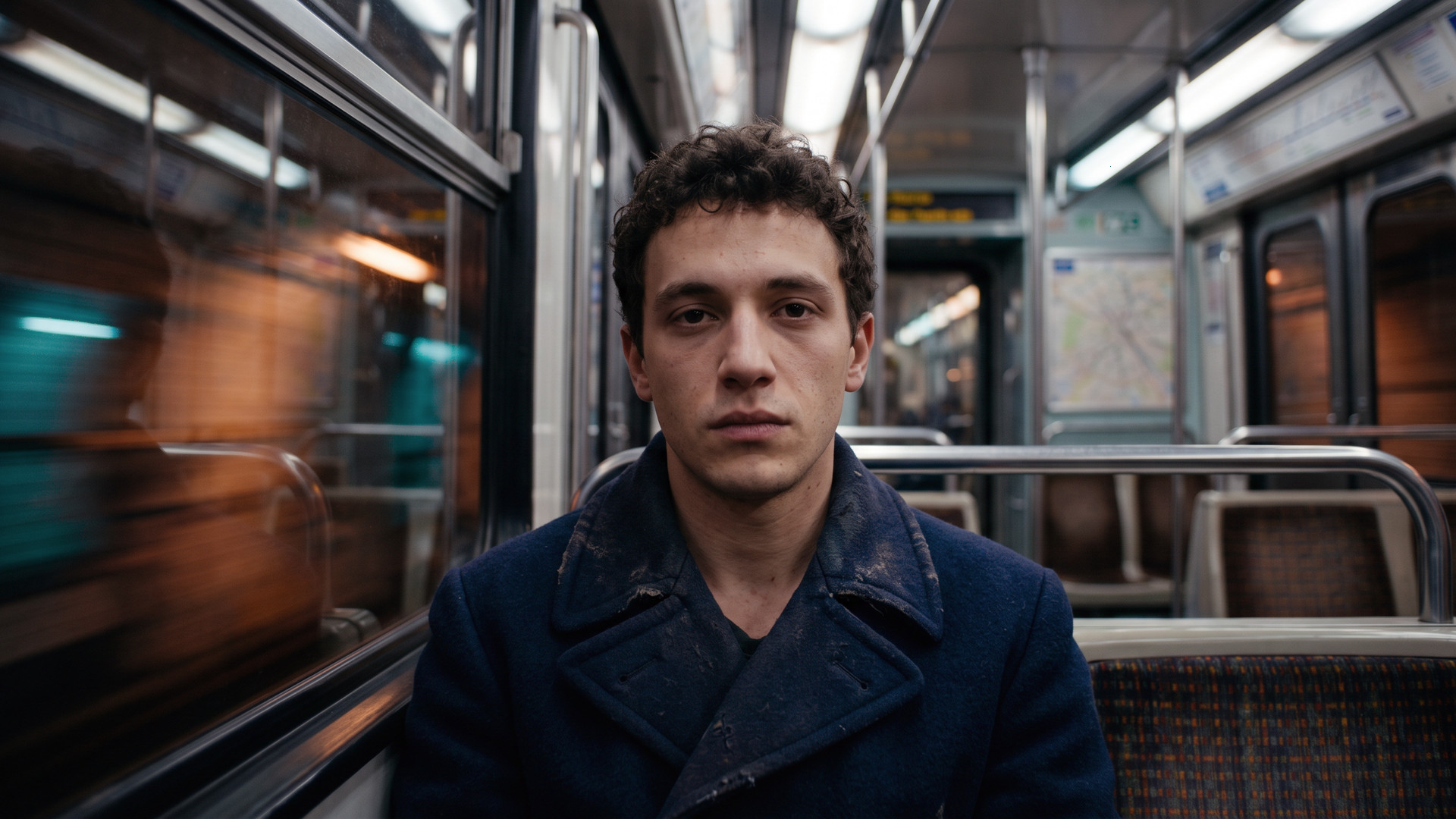
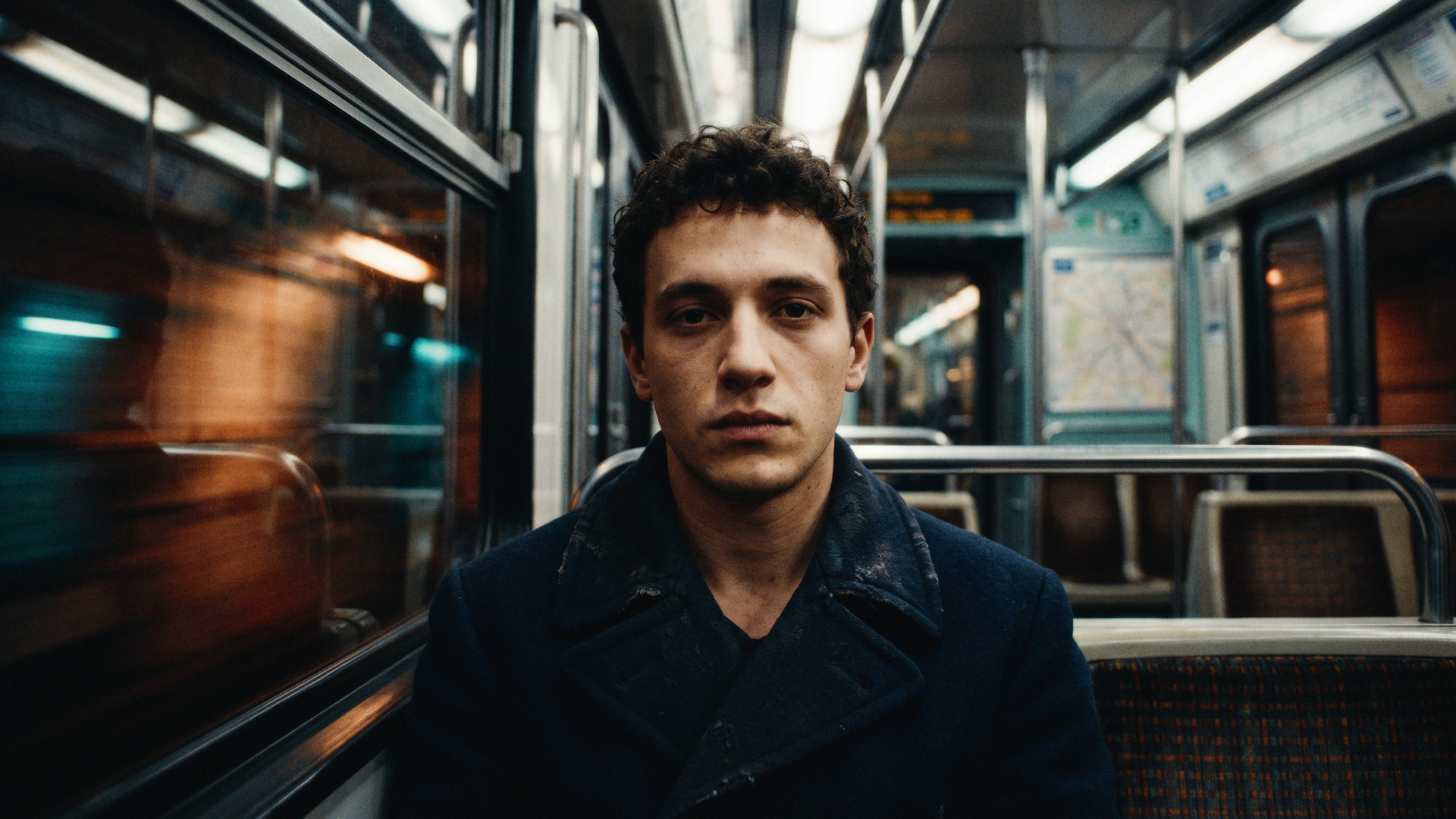
Graded with the Reactor plugin itself.
Tone curve
A film-style tone response: toe, shoulder and contrast that roll the image the way a negative and print do.
Per-hue colour
Push, shift and saturate each hue on its own, with film-like crossover between neighbours.
Casts and bleach bypass
Colour casts plus a bleach bypass for dense, desaturated contrast.
9 film looks
Neutral, Basic Punched, 2383, Vision 3, Indie, Soft Silver and Muted, plus two black and white looks, all from hand-graded ACES LUTs. Tweak anything on top.
Full Texture engine
Grain, halation, diffusion and gate weave from KolorKlinic Texture, built in.
Colour space aware
Uses the same colour space menu as Texture: Rec.709, ACES and DaVinci Wide Gamut projects, with gamut compression so neon and LEDs never break up. Fully offline.
Print film
Print any look onto a modelled Kodak 2383, 2393 or 2302 black-and-white release print, with its own strength.
Export as .cube
Bake your film colour into a 33-point LUT for clients, on-set monitoring or other apps.
Colour palette
See the 12 main tones of your graded frame, dark to light, in a strip under the picture. Burn it into the render for look decks and posts.
Downloads
Reactor manual · PDFKolorKlinic Skin
Beauty retouching OFX for DaVinci Resolve. It evens out tone and softens blemishes while keeping real skin texture, finds the skin for you and stays stable from frame to frame. Download it free with a 3-day full licence sent to your email; after that the trial adds a small watermark.


3D face tracker · zones
A 468-point face mesh follows the head, fully offline inside the plugin. Pick the zones to retouch and give each its own smoothing and blemish strength; eyes, brows and lips always stay untouched.


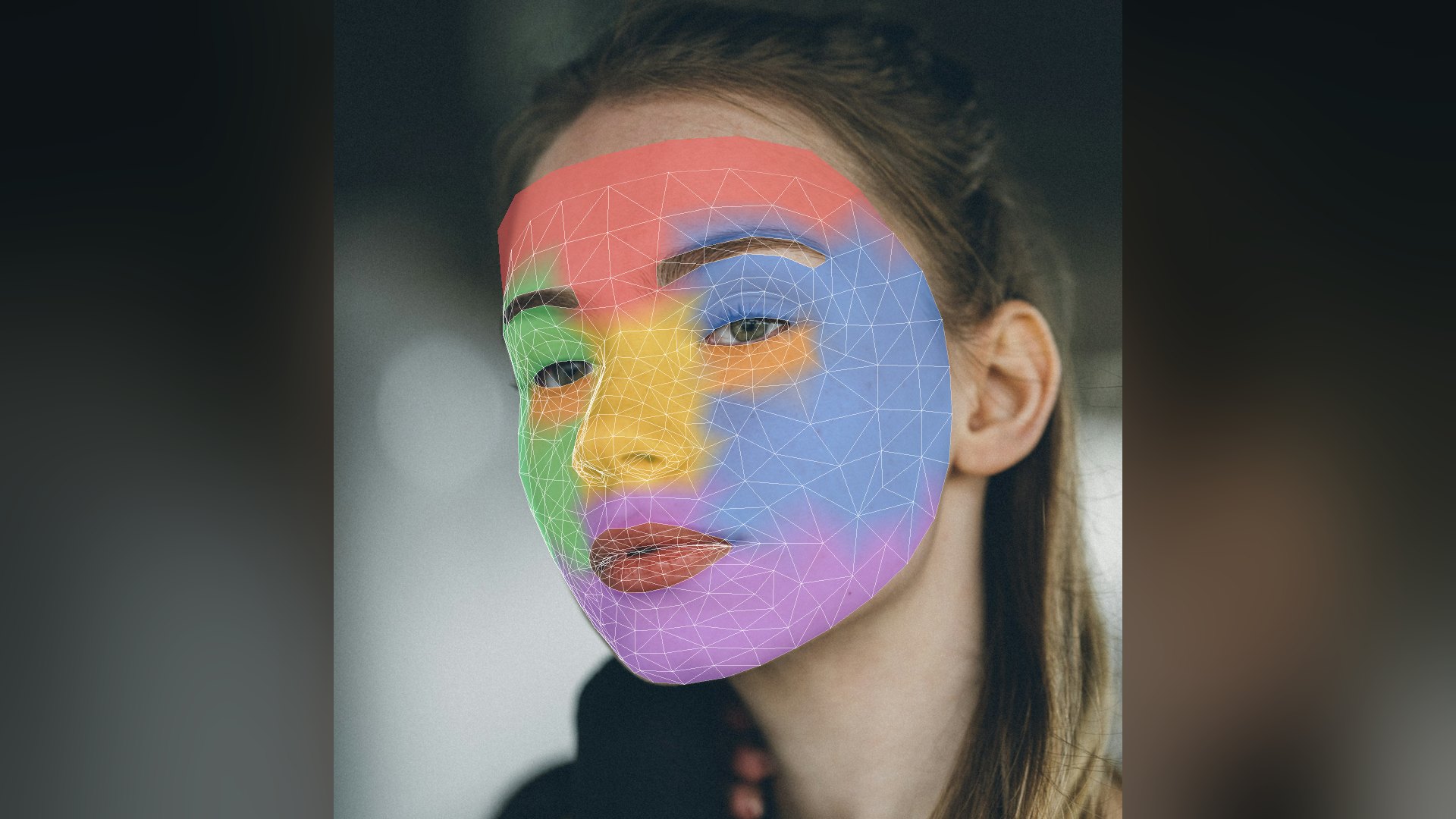 tracked mesh · 6 zones
Frequency separation
Splits skin into a tone layer (colour, blotches, shadows of pores) and a texture layer (pores, fine hair). Gaussian, Box or edge-aware Surface filter, so smoothing never bleeds across eyes, lips or the jawline.
Automatic skin mask
Finds skin by its place on the vectorscope skin line and keeps eyes, brows and lips out, with no roto needed. Or use Resolve's own window, qualifier or an incoming alpha.
Blemish softening
Fades spots and large pores, the mid-size detail, while the finest texture stays. Add midtone detail or post-sharpening for a natural, filmic finish.
No flicker
The tone layer is motion-stabilised across neighbouring frames, so the retouch stays locked to the face instead of shimmering. Texture always comes from the current frame.
Hands in front of the face
When a hand or object passes the face, Skin holds the tracked face through the gap and blends it to where the face comes back, so the retouch never switches off and on. Wire a matte of the hand into the optional Occlusion input to leave it untouched.
Inspect every layer
View the final image, the tone layer, the texture layer or the skin mask, with a draggable split view against the original.
GPU native · ACES ready
Runs inside Resolve's own GPU memory (Metal, CUDA or OpenCL), with a Fast playback mode for real-time scrubbing. Fully offline. Works in Rec.709, ACEScct, ACEScc, ACEScg, ACES2065-1 and DaVinci Wide Gamut projects.
Downloads
Skin manual · PDFKolorKlinic Denoise
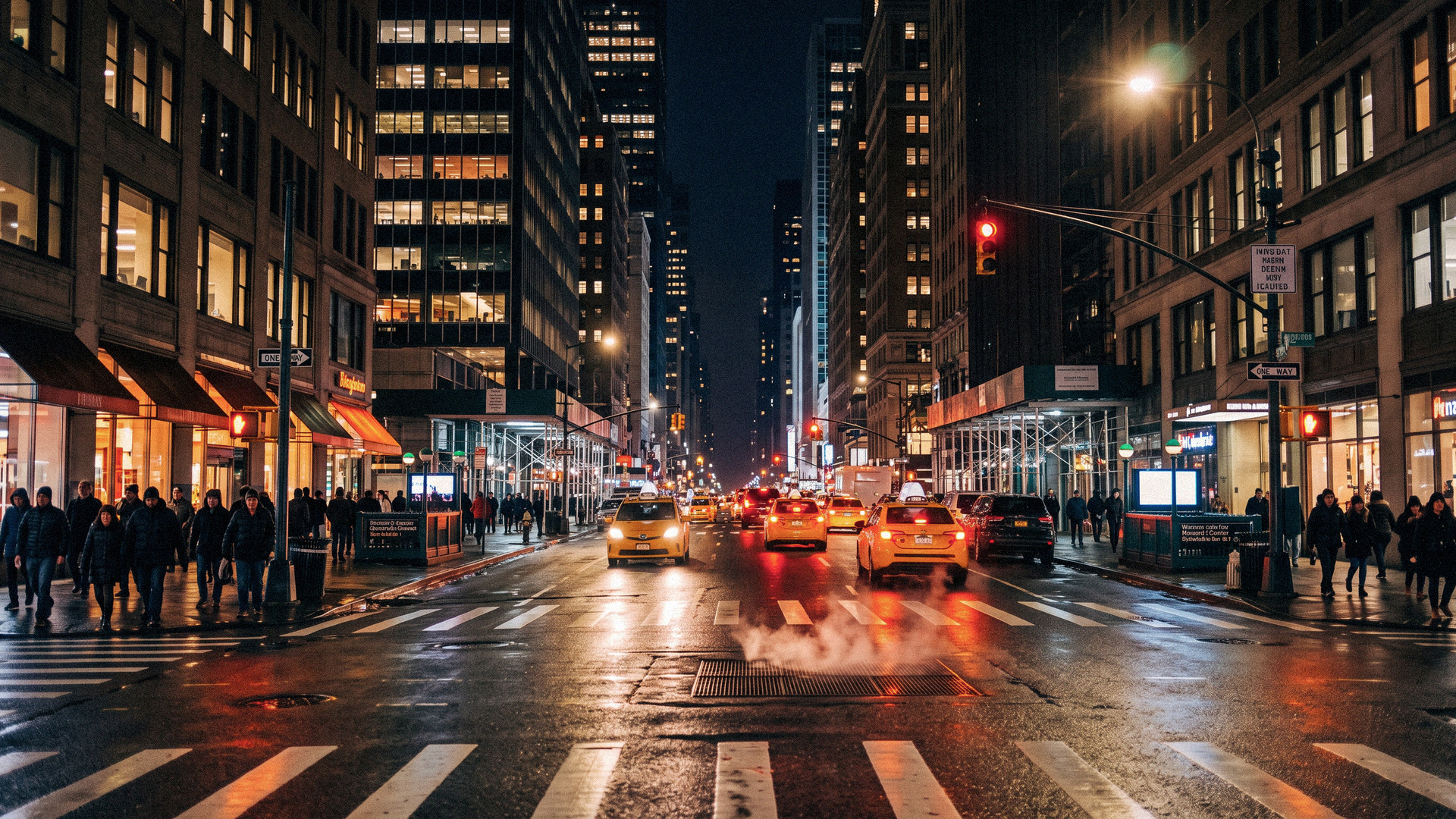
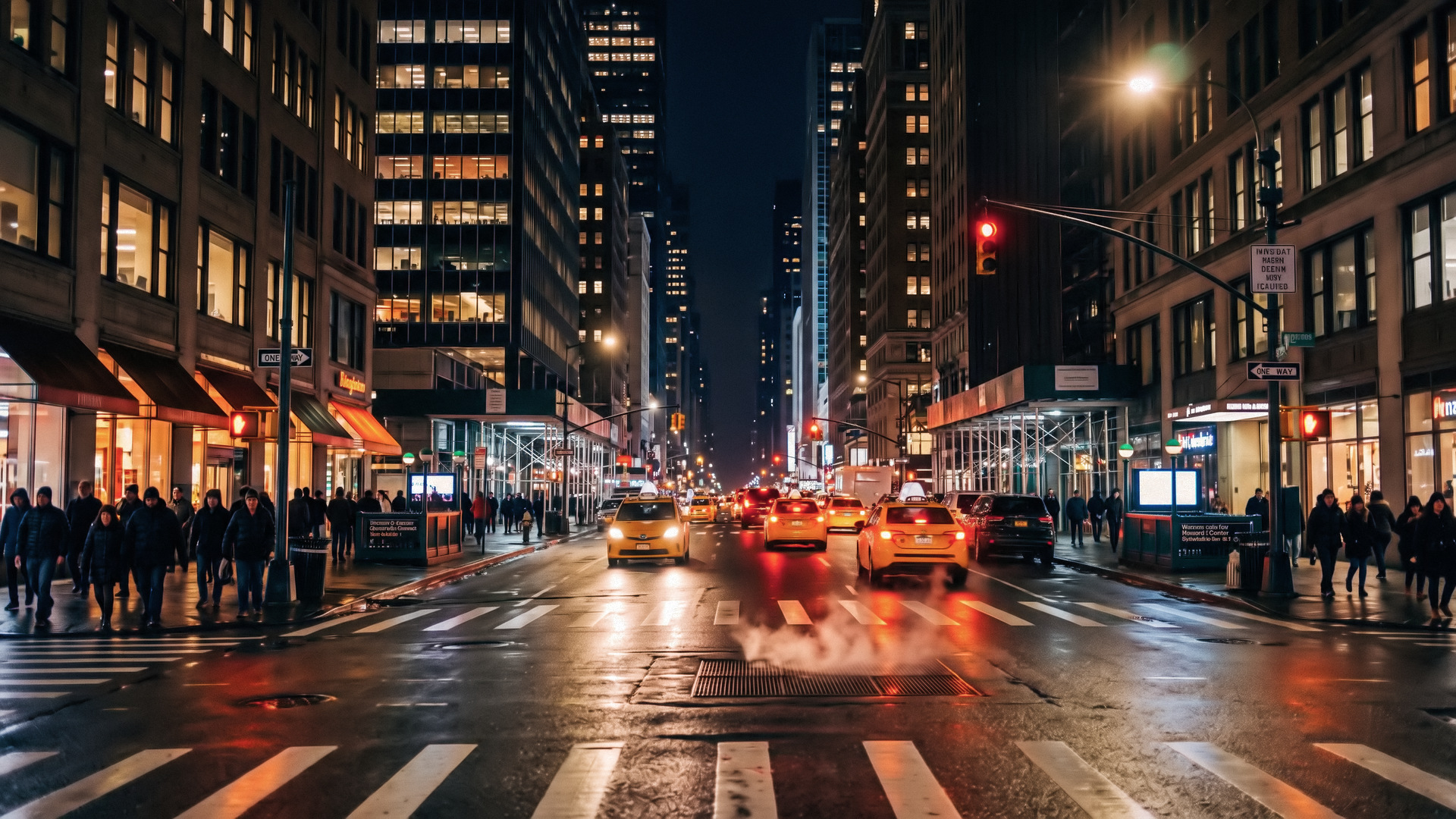
Clean up high-ISO, low-light and compressed footage right inside DaVinci Resolve. Motion-compensated temporal denoising tracks every block across neighbouring frames, then a wavelet pass removes luma and colour noise separately. Skin, fabric and fine detail keep their texture, with no ghosting and no plastic look. It runs natively on your GPU and fully offline. On our test footage it removed about 16 dB of noise (PSNR 24.4 → 40.4 dB).
Smarter motion
Quarter-pixel motion vectors on 8×8 blocks, outlier-free vector smoothing and overlapped-block compensation with no seams. Pixels that don't match are left out, so there's no ghosting. It measures about +0.8 dB over v1.1 on fast pans and handheld shake.
Wavelet spatial, luma + chroma
Five-scale à-trous wavelet shrinkage with separate Luma NR and Chroma NR, so colour blotches go without plastic skin.
Automatic noise detection
Click Auto-detect noise: the plugin finds the flattest areas of the frame by itself, measures the clip's real noise and tunes every scale to it. Prefer to choose? Drag your own sample box and click Analyze.
Native GPU · ACES ready
Runs right inside Resolve's own GPU memory (Metal or OpenCL), so frames never round-trip through the CPU. CUDA on NVIDIA, with an automatic fallback to all CPU cores. Every engine runs the same math, fully offline. Works in Rec.709, ACEScct, ACEScc, ACEScg, ACES2065-1 and DaVinci Wide Gamut projects.
Fast playback
Frames and motion stay cached on the GPU, so during playback each frame only reads one new neighbour and starts its motion search from the last frame. Switch Quality to Fast playback for a lighter, 1-frame-each-side mode while you scrub.
Smart sharpen + Lens deblur
A new Sharpen group, all on the GPU with no AI. Lens deblur undoes a soft lens or slightly missed focus, and Smart sharpen adds crispness, but only on edges and detail: flat areas, skin and the leftover noise stay clean. A halo guard stops bright rims, and Show sharpen mask shows exactly where it acts.
Split view
Drag a divider in the viewer to compare the original and the denoised image side by side, with an optional thin guide line.
Grain control
Keep part of the clip's own grain, or add animated film grain with size, amount and softness. Clean, but never plastic.
Downloads
Denoise manual · PDFKolorKlinic Mask Booster
Two OFX nodes that make DaVinci Resolve's Magic Mask cleaner and steadier, right on the Color page. No Fusion setup needed.
Same shot, same strokes. Drag the line: soft, glowing edges and grey holes on the left, a crisp, solid mask on the right.
1 · Prepare
Put it before Magic Mask. It crops and enlarges the area around your subject, following a rough mask or a manual frame, smoothed so the crop never jitters.
2 · Magic Mask
Run Resolve's own Magic Mask on the enlarged picture. The subject is bigger, so Magic Mask tracks hands, hair and distant people far better.
3 · Restore
Put it after Magic Mask. It puts the mask back in place, steadies it over neighbouring frames and gives you fill gaps, smooth edge, erode / dilate, edge blur and thresholds.
Give the Prepare and Restore node of a shot the same Link name. One KKM- key activates both nodes on a machine; until then Restore's output carries TRIAL stripes.
Downloads
Mask Booster manual · PDFKolorKlinic Film Compression
Film-style highlight compression for DaVinci Resolve. Digital highlights stop clipping and roll off into soft, dense whites, so your grade has room to breathe. Free for everyone, our gift to the colour community.
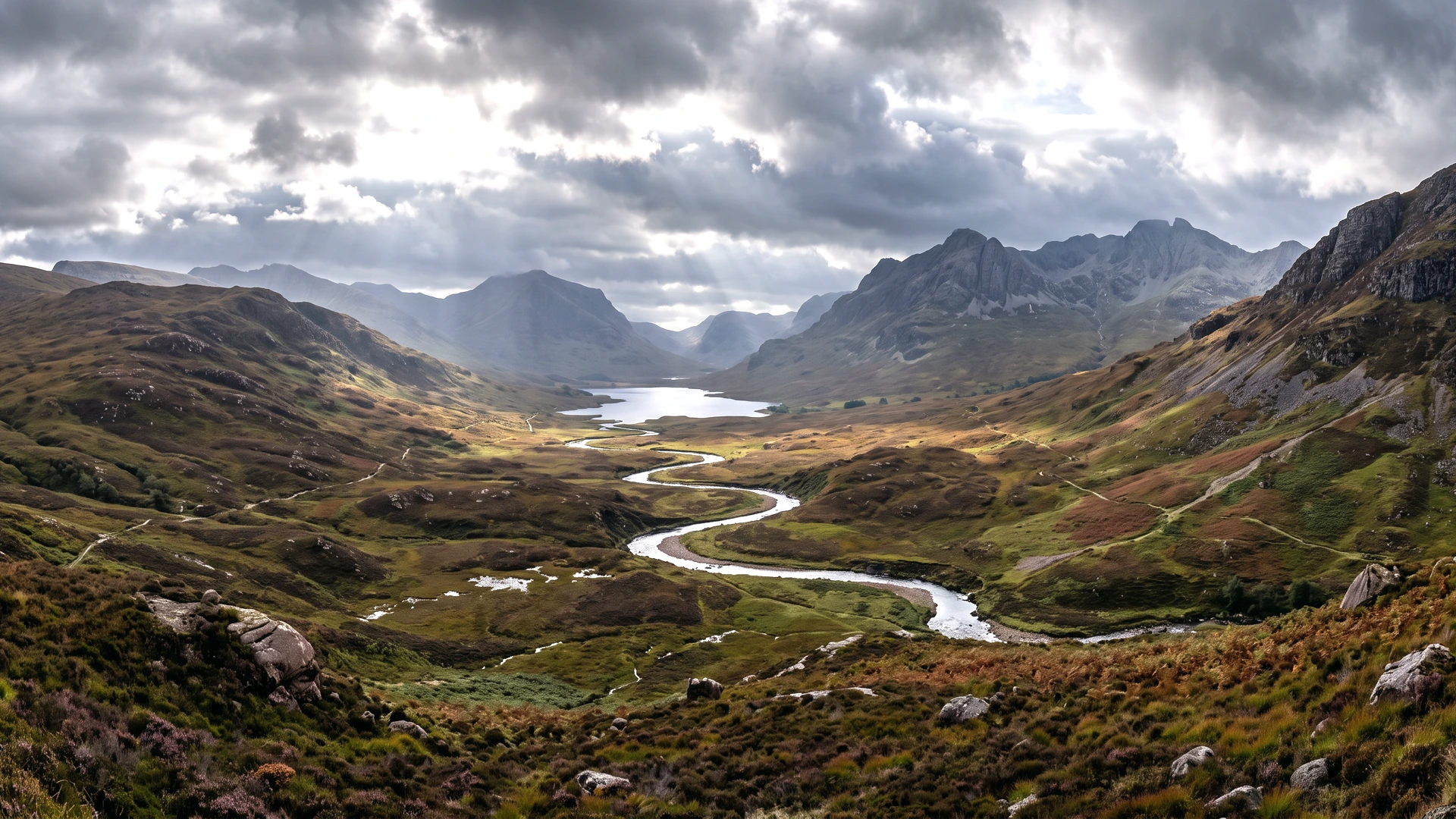
Film highlight rolloff
Highlights roll off softly toward white the way film does, instead of the hard digital clip. Shadows and midtones stay untouched.
White point & range
Set where the image reaches full white and how far down the compression reaches, from a gentle shoulder to a deep film curve.
Negative or slide
Highlight colour goes from negative film (bright areas lose saturation) to slide film (they stay rich).
Show rolloff zone
See exactly which part of the image is being compressed, then dial it in.
GPU native · ACES ready
Runs in Resolve's GPU memory (Metal, CUDA, OpenCL). Rec.709, ACEScct, ACEScc, ACEScg, ACES2065-1 and DaVinci Wide Gamut.
Free, no watermark
No licence, no trial, no account. Also built into KolorKlinic Texture, where each film look sets it for you.
Free downloads
Film Compression manual · PDFAI tools for Resolve
Character mattes for whole shots and performance fixes without a reshoot. Pay once, no subscription.
KolorKlinic for Baselight
Denoise, Skin, Texture and Reactor also run as OFX plugins in Baselight on Mac and Linux (Baselight for Mac, ONE, TWO and X with render nodes), on the GPU Baselight assigns to them. The plugin files are the same as for Resolve; a Baselight licence is separate and unlocks the plugin in Baselight only.
Denoise
$109Resolve version $79Motion-compensated temporal + spatial noise reduction.
Skin
$109Resolve version $79Frequency-separation retouch with an automatic skin mask.
Texture
$139Resolve version $99Rolloff, spatial EQ, halation, diffusion and film grain.
Reactor
$179Resolve version $129Film colour looks plus the full Texture engine.
Finishing Suite for Baselight
Denoise + Skin + Texture, three Baselight licences. $357 separately save $88
Facility licence
All four plugins for Baselight on up to 10 machines each: grading suites, render nodes and assist stations.
Install into /Library/OFX/Plugins (macOS) or /usr/OFX/Plugins (Linux) on every Baselight machine, restart Baselight, then add the plugin to a layer. Copy its Machine ID into the Activate page with your KKB... key and paste the code back; until then the output carries a TRIAL watermark.
Baselight TWO / X: a render node that is not activated prints "ACTIVATE NODE ID ..." in the frame. Activate that ID with the same key on the Activate page and paste the new code into the same Activation code field after the first one (separated by a space). Each node uses one of the key's machines (3, or 10 with the facility licence).
Pricing
Denoise, Skin, Texture and Reactor run on your own machine, so you buy them once and own them.
- All three plugins, three lifetime licences, each on up to 3 machines
- ACES and DaVinci Wide Gamut ready, fully offline
- All three keys emailed instantly
- Lifetime licence, runs fully offline
- Up to 3 of your machines
- Free trial: download and use it now, with a watermark
- Lifetime licence, runs fully offline
- Up to 3 of your machines
- Free trial: 3 days fully unlocked by email, then with a watermark
- Spatial equalizer, halation, diffusion and film grain
- Lifetime licence, runs fully offline on up to 3 machines
- Free trial: 3 days fully unlocked by email, then with a watermark
- Film colour: tone curve, per-hue colour, casts, bleach bypass, 10 film looks
- Plus the full Texture engine: grain, halation, diffusion, gate weave
- Lifetime licence, runs fully offline on up to 3 machines
- Free trial: 3 days fully unlocked by email, then with a watermark
Prices in USD, taxes handled at checkout. Card and other local methods where available. Secure checkout by Stripe.
Need a hand?
Licence key not arriving, activation trouble, a bug in Resolve or a billing question: send us a message and a real colorist will get back to you.
- Reply within 1–2 business days
- Include your Resolve version and OS for bugs
- Never send your licence key in full